📊 Image to Excel Converter
Batch convert multiple images into a professional structured Excel workbook.
Supports: PNG, JPG, WEBP (Multiple files allowed)
Awaiting file selection…
No active conversion task.
Image to Excel Converter: The Ultimate Way to Turn Photos into Data
Data entry shouldn’t be a manual nightmare. Whether you are dealing with rows of printed invoices, photographed spreadsheets, or screenshots of digital data, the transition from a static image to an editable spreadsheet has historically been a bottleneck.
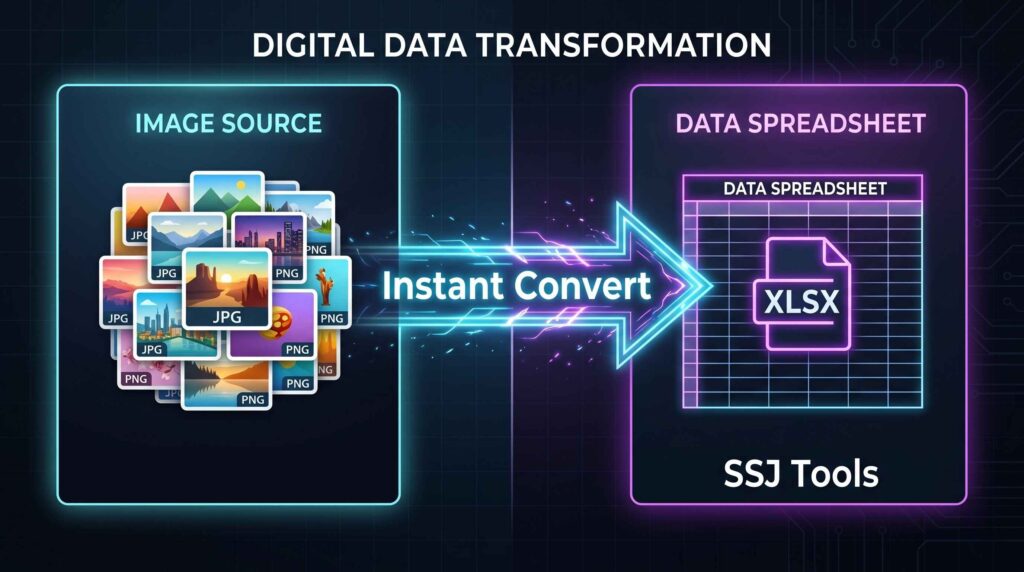
The Image to Excel Converter by SSJ Tools is a professional-grade solution designed to bridge this gap. By utilizing a high-speed processing engine, this tool allows you to upload multiple images and automatically organize them into a structured, professional Excel workbook (.xlsx). Say goodbye to manual typing and hello to automated efficiency.
What is the SSJ Tools Image to Excel Converter?
The Image to Excel Converter is a specialized web-based utility that transforms visual assets into organized spreadsheet rows. Unlike basic converters that only handle one file at a time, this tool is built for high-volume tasks. It allows users to upload a batch of images—ranging from product photos to document scans—and embeds them into a clean, downloadable Excel file.
This tool is specifically engineered for users who need to maintain a visual record alongside data points, making it an essential companion for inventory managers, auditors, and digital archivists.
Key Features of Our Image to Excel Tool
Based on our proprietary processing pipeline, here is what makes this tool stand out:
Batch Image Processing: Don’t waste time uploading one by one. Select dozens of images at once and process them in a single click.
ExcelJS High-Speed Engine: We use the industry-leading ExcelJS library to ensure your workbooks are generated instantly without server-side lag.
Multi-Format Support: Whether you have a JPG to Excel, PNG to Excel, or WebP to Excel task, our tool handles all major web formats.
Automatic Extension Detection: The system intelligently identifies file types to prevent corruption, ensuring every image is embedded correctly.
Memory-Safe Processing: Using Base64 encoding and sequential reading, the tool processes large files without crashing your browser.
Dark Mode Interface: A modern, sleek, and user-friendly SaaS UI designed for the professional environment.
How to Use the Image to Excel Converter (Step-by-Step)
Getting your data into a spreadsheet is simple. Follow these four easy steps:
Upload Your Images: Click the “Batch Image Upload” area or drag and drop your files. You can select multiple PNG, JPG, or WEBP files.
Initialize Conversion: Click the neon “Generate Excel File” button.
Monitor Progress: Watch the “Processing Pipeline” in real-time. You will see two stages: Reading Files and Embedding Data.
Download Your Workbook: Once the “Workbook Ready” banner appears, click the “Download .XLSX File” button to save your structured data to your device.
Why Choose SSJ Tools for Your Conversion Needs?
While there are many online OCR to Excel tools, most are cluttered with ads or require expensive subscriptions. SSJ Tools provides a “Privacy-First” approach. Because the conversion happens within your browser’s processing pipeline, your sensitive images aren’t stored on external servers longer than necessary for the session.
The Benefits of a Structured Workbook
Our tool doesn’t just “dump” images; it organizes them. Every image is assigned an Asset ID, a File Name, and a high-quality Image Preview inside the Excel grid. This makes it the best photo to spreadsheet tool for creating catalogs or audit reports.
Common Use Cases
E-commerce Managers: Convert product photos into a spreadsheet to quickly organize SKUs and titles for cataloging.
Accountants & Bookkeepers: Use it as a scanned image to Excel assistant to organize receipts and document evidence.
Project Managers: Turn site photos or screenshots into a structured report for stakeholders.
Education: Students can convert textbook diagrams or handwritten notes into a spreadsheet format for better organization.
Data Entry Professionals: Speed up the workflow of turning photo to excel sheet data by having a side-by-side view in one file.
Tips for Best Results
To ensure the highest quality conversion, keep these tips in mind:
Clear Lighting: Ensure your images are well-lit and the text/subject is centered.
File Size: While our tool is memory-safe, uploading images under 5MB each will provide the fastest experience.
Standard Formats: Use .jpg or .png for the best compatibility with Excel’s internal viewing engine.
Sequential Selection: Upload your images in the order you want them to appear in the “Asset ID” column.

Frequently Asked Questions (FAQs)
1. Is this image to Excel converter free?
Yes! Our tool is completely free to use for batch conversions with no hidden costs or “premium” locks on the .xlsx download.
2. Can I convert JPG to Excel without OCR?
Yes. This tool embeds your images directly into an Excel file, which is perfect for visual audits, inventories, and catalogs where the image itself needs to be preserved within a cell.
3. How many images can I convert at once?
While there is no hard limit, we recommend batches of 20-50 images at a time for optimal browser performance.
4. Are my files safe?
Absolutely. The processing is done locally via Javascript (ExcelJS), meaning your data is handled with the highest level of privacy.
5. Does it support Mac and Windows?
Since this is a web-based image to spreadsheet converter, it works perfectly on Chrome, Safari, Edge, and Firefox across all operating systems.
Conclusion
The Image to Excel Converter at ssjtools.in is more than just a converter; it’s a productivity powerhouse. By automating the “Image to XLS” workflow, we help you save hours of manual organization. Whether you are a developer, a business owner, or a casual user, our tool ensures your data is professional, structured, and ready for use.
Ready to organize your data? Try the Image to Excel Converter Now on SSJ Tools!