🖼️ Image to PNG Converter
Lossless conversion with alpha channel support for professional assets.
Idle – Waiting for input…
Waiting for image processing…
Professional-Grade Image to PNG Conversion: Lossless 32-bit Output for Web & Design
In the world of digital design, the difference between a blurry, jagged logo and a crisp, professional asset often comes down to one thing: the file format. For most users, finding a reliable image to PNG converter that doesn’t compromise quality or compromise privacy is a surprisingly difficult task.
Whether you are trying to convert images to PNG for a website or need to convert image to PNG transparent backgrounds for a presentation, the technical details matter. At SSJ Tools, we built this utility to handle high-fidelity conversions using 32-bit RGBA depth, ensuring that every pixel remains exactly as intended.
The Role of Lossless PNGs in Modern Digital Workflows
In my experience, many people default to JPG because of smaller file sizes, but they quickly regret it when they see “compression artifacts”—those ugly fuzzy spots around text or sharp edges. This is where the image to PNG converter online becomes essential.
Why 32-bit RGBA Depth is a Game Changer for Designers
Standard images often use 24-bit color. By using 32-bit RGBA, our high-quality PNG converter includes an “Alpha” channel. This channel is what allows for varying levels of transparency. In practice, this means your logos can have soft, anti-aliased edges that blend perfectly into any background color, rather than looking like a digital cutout.
Beyond JPG: When to Choose PNG for Your Website Assets
When performing web image optimization, choosing the right format is an image SEO tool strategy in itself. You should use this PNG image creator when you have:
Logos with transparent backgrounds.
Infographics with sharp text.
User interface (UI) elements like buttons or icons.
Images that require further editing (to avoid “generation loss”).
Inside the SSJ Image to PNG Engine
Most online tools force you to upload your private photos to a remote server. We took a different approach with this secure online image to PNG converter tool.
Client-Side Processing: Your Privacy, Our Priority
What I’ve observed is that users are increasingly worried about data privacy. Our image converter tool runs entirely within your browser. When you convert image to .png here, the file never leaves your computer. The “conversion” happens locally using your device’s hardware.
Eliminating Upload Latency with Browser-Side Rendering
Because there is no upload or download to a server, this is a fast online photo to PNG converter free of the usual “waiting bar.” It provides zero server latency, making it the best image to PNG converter for web images when you are in a rush.
Preservation of Alpha Channels for Seamless Transparency
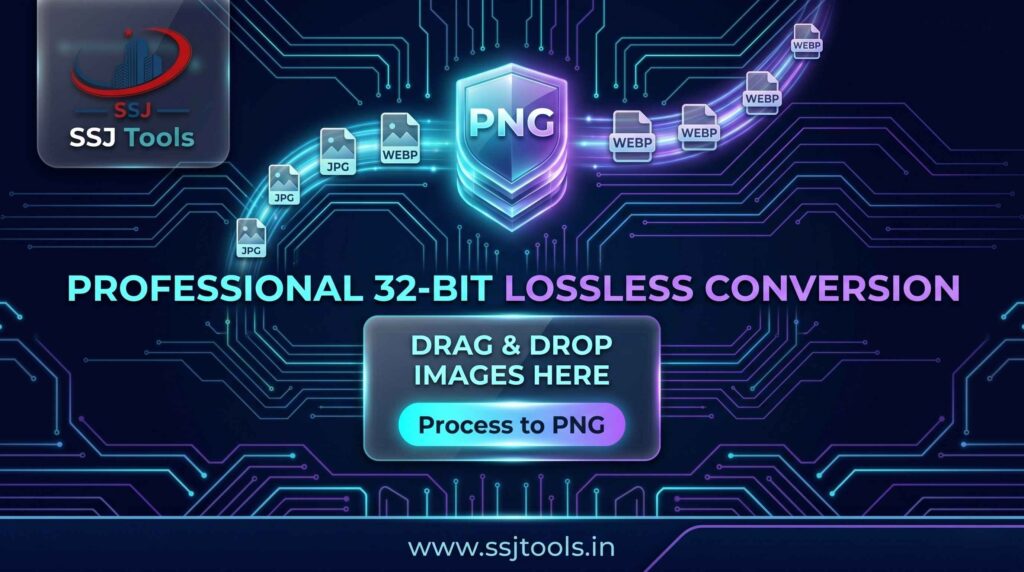
A common workflow for developers is taking a WEBP to PNG online or a JPG to PNG image converter to prep assets for a new site. Our engine ensures that if transparency data exists, it is preserved, and if you are creating a new transparent PNG converter output, the pixels are mapped accurately.
Turning Source Media into Professional Assets
Using this free online PNG tool is designed to be frictionless. Here is the exact workflow to convert an image to PNG using our system.
Step 1: Staging Your Source File
Click on “Select Source Image.” You can pull from any standard format. This acts as an image format changer, accepting JPG, BMP, or even acting as a png to jpg image converter if you were to use a different tool in our suite—but here, the goal is the perfect PNG.
Step 2: Triggering the Lossless Encoding Engine
Once staged, hit “Process to PNG.” Our PNG image converter immediately begins re-encoding the pixels into a 32-bit lossless structure.
Step 3: Verifying Quality via the Neon Preview Portal
Before you save, you can see the result. This online PNG converter shows you exactly how the final file looks, ensuring the image convert to png process didn’t introduce any errors.
Step 4: Exporting High-Fidelity .png Files
Click the download button. You now have a file ready for professional use, saved as a convert image to png format standard.
Practical Applications for the SSJ Converter
Optimizing UI/UX Icons and Logo Transparency
For most designers, an image to png logo converter is a daily necessity. If you have a flat logo, converting it to PNG ensures that the edges remain vector-sharp on high-resolution screens.
Preparing Social Media Graphics for High-Resolution Display
Platforms like Instagram or LinkedIn often compress JPGs aggressively. In my experience, if you convert image from jpg to png before uploading, the platform’s compression is sometimes less destructive to the final visual.
Converting Screenshots into Crisp, Non-Blurry Documentation
If you are a developer, you know that JPG screenshots look terrible. Use this image converter to png to keep your code snippets and dashboard previews crisp for your technical docs.
Achieving Superior Results: PNG Best Practices
When to Leverage 32-bit Depth vs. Standard Compression
If your image has no transparency, 32-bit might be overkill for file size. However, for a free SEO image tool for PNG conversion, always stick with 32-bit if you plan to overlay the image on different website backgrounds.
Maintaining Visual Integrity During File Format Shifts
When you how to convert an image to png, remember that you cannot “add” quality that wasn’t there. However, you can stop quality from getting worse. Converting a low-quality JPG to PNG won’t make it 4K, but it will prevent further blurriness during your next save.
Managing File Sizes Without Sacrificing Pixel Clarity
A image to png converter 100 kb target is common for web speed. If your PNG is too large, consider using an image compression tool after conversion, but only after you’ve secured the lossless base file.
Ready to Refine Your Media Library?
Stop settling for blurry, low-quality images that hurt your brand’s credibility. Whether you are looking for a free image to PNG converter download alternative or a quick photo to PNG converter for a one-off task, SSJ Tools provides the professional-grade output you need.
Start Your Instant Conversion Below
Scroll back up to the tool interface to stage your first image. Experience the speed of zero-latency, browser-side conversion today.
Explore More High-Performance Design Utilities at SSJ Tools
Need more than just an image to PNG converter? Visit www.ssjtools.in to explore our full suite of website image converter tools and SEO image optimizer utilities designed for developers and creators.
Frequently Asked Questions About PNG Conversion
Will converting an image to PNG improve its original quality?
No, it cannot magically add detail. However, because PNG is lossless, it prevents any further loss of quality, which is vital for professional editing.
Is my data safe during the “Process to PNG” stage?
Yes. Unlike a tool like image to png converter i love pdf which might process on a server, SSJ Tools processes everything locally in your browser. Your images are never stored or seen by us.
Does this tool support transparent backgrounds from JPG sources?
JPGs do not support transparency. To convert image to png transparent, the source must already have transparency, or you must use a background remover tool before converting here.
Are there any file size limits for browser-side conversion?
Generally, no, but very large images (like 50MB+) depend on your computer’s RAM. For most users, it handles image to png converter 50kb files and large 4K photos with ease.
Can I convert vectors to PNG?
This tool is a raster converter. If you need a png to vector image converter or a convert png to vector image tool, you would need an SVG-specific utility. This tool is specifically for pixel-based images.