
🖼️ JPG to Word Converter
Convert your JPG images into a professional Word document with each image on a new page.
Awaiting JPG files…
Your .docx download link will appear here.
ERROR: docx library not loaded. Check connection.
`; systemLog.textContent = "Fatal: Library failure."; } } function clearInput() { document.getElementById('imageInput').value = ''; document.getElementById('result').innerHTML = 'Buffer cleared.
Instant JPG to Word: Assemble Professional Documents from Images in Seconds
In the digital age, efficiency is the currency of success. Whether you are a student, a freelancer, or a corporate professional, you’ve likely faced the frustration of having a dozen different image files that belong together in a single report. Using a JPG to Word converter isn’t just about changing a file extension; it’s about transforming scattered data into a structured, shareable asset.
At SSJ Tools, we’ve designed a free JPG to Word converter that prioritizes speed and user privacy. In my years of optimizing digital workflows, I’ve seen how much time is wasted manually pasting pictures into documents. Our tool automates that entire process, allowing you to convert JPG to Word in a single click.
Solving the “Image-to-Document” Headache
Why sharing 20 separate JPGs is holding you back
Sending a client or a professor twenty individual image files is a recipe for confusion. It clutters inboxes, makes printing a nightmare, and often leads to files being viewed out of order. In practice, a disorganized delivery reflects poorly on your professional image.
The elegance of a single, paginated Word file
A consolidated image to Word conversion creates a logical flow. By using a JPG to doc converter, you ensure that your “Page 1” stays as “Page 1.” It provides a clean, unified experience for the recipient, making your work easier to read, annotate, and archive.
Bridging the gap between photography and documentation
Sometimes a photo is just the starting point. By moving your picture to word, you move from a static image to a dynamic document environment. This is the first step in document digitization, turning a physical snapshot into a professional digital record.
Real-World Scenarios: Where SSJ Tools Saves the Day
Student Essentials: Merging handwritten notes into one assignment
For most students, capturing handwritten homework with a phone is the fastest way to work. Using our JPEG to Word converter, you can take those five photos of your math problems and turn them into one cohesive assignment ready for upload to an online portal.
Business Efficiency: Compiling expense receipts for monthly reports
Accounting departments hate receiving loose image files. A common workflow involves taking photos of your monthly receipts and using a batch jpg to word converter to create a single expense report. It’s faster than any manual filing system I’ve observed.
Creative Portfolios: Turning high-res photography into a pitch deck
If you are a designer, you need to showcase your work without the recipient having to click through a gallery. Converting your photo to word allows you to add context and descriptions around your images later in a familiar editor.
Legal & Admin: Digitizing physical records for easy archiving
For those working in administration, scanned document conversion is vital. Our tool helps in image to doc transitions, ensuring that physical contracts or IDs are stored in a format that is easy to manage and print.
Three Steps to Your New .docx File
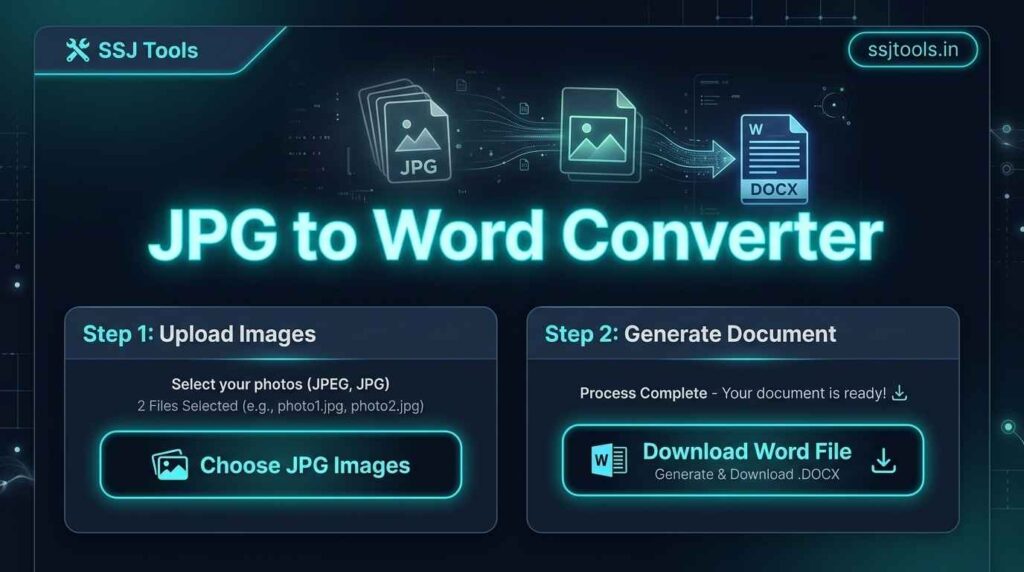
Step 1: Selecting your JPG source files
Simply click the upload button to choose your images. Our online jpg to word converter free supports multiple file selections, so you can grab everything you need in one go.
Step 2: Initiating the high-speed conversion engine
Once your files are queued, hit the “Convert” button. You’ll see a real-time progress bar. This instant jpg to word conversion is designed to handle multiple high-resolution images without slowing down your browser.
Step 3: Instant retrieval of your formatted document
Once the process hits 100%, your download link appears. Click it to save your new image to DOCX file directly to your device. No email registration, no waiting for links in your inbox.
Why Our Conversion Engine Stands Out
Smart Auto-Pagination: Unlike a basic jpg converter, our tool automatically places each image on its own dedicated page. No more manual resizing or overlapping images.
Zero-Upload Security: As a secure word converter, we process your files locally. Your sensitive images never leave your computer, providing a level of privacy that most cloud-based tools can’t match.
Optimized Formatting: We focus on jpg to word without losing formatting. The tool ensures your images remain high-fidelity and centered, creating a professional jpg to word converter experience.
Batch Processing: This is a multiple image to word converter. Whether you have two images or twenty, the engine handles the queue seamlessly.
Mastering the Art of Image Conversion
Tips for ensuring your scans look perfect in Word
To get the best results from an image to word OCR converter, ensure your photos are taken in bright, even lighting. Flat, well-lit images result in a much cleaner photo to editable word document.
How to manage file sizes for easier emailing
If you are converting dozens of photos, the final Word document can become large. I recommend using high-quality but compressed JPGs before conversion to ensure your final word converter output is easy to share via email.
Using the “Clear Queue” function for high-volume tasks
If you are processing multiple separate documents, use the “Clear” button between sessions. This resets the Word document generator and ensures your next project starts with a clean slate.
Common Questions About Image-to-Word Conversion
Can I convert JPEG files as well as JPG?
Yes! Our jpeg to word engine recognizes both formats. Whether your camera saves them as .jpg or .jpeg, the tool will process them perfectly.
Is there a limit to how many images I can merge?
While there is no hard limit, for the best performance on a fast image to word tool, we recommend processing batches of up to 30-50 images at a time depending on your computer’s memory.
Will my document be compatible with Google Docs and LibreOffice?
Absolutely. The output is a standard .docx file. You can open it in Microsoft Word, upload it to Google Docs, or use any image to word compatible software.
Do I need to register to download my file?
No. This is a no signup word converter. We believe in friction-free productivity. Just upload, convert, and go.
How does this tool protect my data privacy?
Because this is a browser based OCR converter alternative that runs locally, your images are not stored on our servers. This makes it one of the most secure jpg to word converter options available online.
Upgrade Your Productivity with [SSJ Tools]
Stop wasting time with manual “copy-paste” workflows. Whether you need a scanned image to word solution or a quick way to archive photos, our tool is built to serve.
Bookmark this tool for your next project
Never search for a free online jpg to word converter again. Save www.ssjtools.in to your favorites bar for instant access to professional-grade tools.
Explore more free document utilities on our platform
We are more than just a jpg to word converter online. Explore our full suite of tools designed for text extraction, document digitization, and more. Experience the power of advanced OCR converter technology and simplified workflows today!