
how to check when the page became indexed in google: In the fast-paced world of digital marketing, timing is everything. After working with over 100 businesses and ranking 70+ websites, I’ve observed that many SEOs focus solely on if a page is indexed, rather than when. Knowing the exact moment Google acknowledges your content is the ultimate “SEO History Hack.” It allows you to measure the true “time-to-rank” and provides a benchmark for your content performance.
In this guide, I will share the exact methods I use as an Ads and SEO Specialist to uncover indexing timelines and how you can use this data to dominate your niche.
What Does it Mean to Check an Indexing Date?
When we talk about how to check when the page became indexed in google, we are looking for the timestamp Google’s crawlers first added your URL to their searchable database. This isn’t just about technical verification; it’s about understanding Google’s trust in your domain. From my experience managing SSJ Developer and SSJ Digital, the speed of indexing is a direct reflection of your site’s authority and technical health.
Step-by-Step Guide: Uncovering Your SEO Timeline
Step 1: Use the “Site:” Search Operator with a Date Filter
This is a classic expert move. By combining the site: operator with Google’s search tools, you can filter results to specific timeframes.
- Action: Search for
site:[yourwebsite.com/page-url](https://yourwebsite.com/page-url). - Expert Insight: Go to “Tools” > “Any Time” and set a custom range. This helps you narrow down the exact week or day the page first appeared.
Step 2: Leverage Google Search Console Indexing Reports
Google Search Console (GSC) is your primary source of truth for google search console indexing data.
- Action: Use the “URL Inspection Tool” and check the “Crawl” section.
- Expert Insight: Look for the “Last Crawled” date. While this shows the most recent visit, the “Index Coverage” report history will show you when the URL first moved from “Discovered” to “Indexed.”
Step 3: Automated Bulk Verification with SSJ Tools
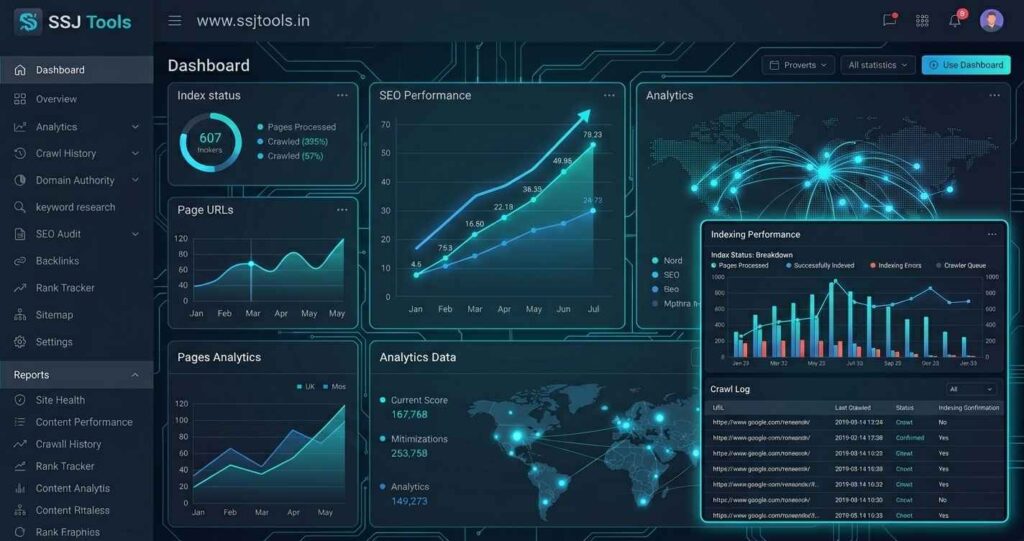
Manual check karne mein time waste na karein. I developed the SSJ Tools Google Index Checker specifically because checking dozens of URLs manually is inefficient for growing businesses.
- Action: Paste up to 10 URLs into the Google Index Checker at ssjtools.in.
- Why it Matters: It provides a bulk status report instantly, telling you exactly which pages are live in search results and which are still pending.
Common Mistakes to Avoid
- Relying Solely on GSC: GSC data can sometimes lag by 48 hours. Always verify with a live search or an external tool.
- Ignoring Noindex Tags: I’ve seen developers leave “noindex” tags on live pages after migration—a mistake that leads to zero visibility regardless of content quality.
Real Experience: What Actually Works in 2026
From working with clients in competitive markets like Gwalior and Indore, I’ve seen that Google’s indexing behavior has become more selective. In 2026, simply “requesting indexing” isn’t enough.
- What Works: High-quality internal linking from “Seed Pages” (pages Google already crawls daily) is the fastest way to get a new page timestamped.
- Common Mistakes: I often see site owners ignoring their “Crawl Budget.” If Google is wasting time on low-value “junk” pages, your important content stays in the “Discovered – currently not indexed” status for weeks.
Why This Method Works
These methods rely on direct search engine feedback. By identifying the indexing date, you can correlate your SEO efforts (like backlink building or content updates) with actual visibility. This logic helps you move from “guessing” to “data-driven SEO.”
Best Practices for Faster Indexing
- Sitemap Accuracy: Ensure your XML sitemap only contains 200-status URLs.
- API Indexing: For time-sensitive content (like news or tools), use the Google Indexing API.
- Use Reliable Tools: Regularly check google indexing status using a dedicated google index checker online free to catch de-indexing issues before they hurt your traffic.
Benefits & Expected Results
By mastering this SEO history hack, you can:
- Identify exactly how long it takes for your content to go live.
- Improve your strategy for launching new tools or blog posts.
- Ensure 100% of your site’s “money pages” are visible to your audience.
FAQs
1. How long does Google take to index a new page?
In my experience, it can range from a few minutes (for high-authority sites) to 2 weeks for new domains.
2. Why is my page discovered but not indexed?
This usually means Google knows the page exists but hasn’t decided it’s valuable enough to show to users yet. Check your content quality and internal links.
3. Is there a limit to checking URLs for free?
Many tools have limits, but the SSJ Tools Google Index Checker allows you to process batches of 10 URLs for free.
4. Can I see the exact hour of indexing?
Directly, no. However, by monitoring logs and using the cache: operator, you can get very close to the timestamp.
5. Does social media help with indexing?
What I’ve observed is that social signals can trigger a crawl, but they don’t guarantee indexing.
Conclusion
Tracking how to check when the page became indexed in google is the difference between a beginner and an expert. It gives you the power to audit your site’s performance with surgical precision. Stop guessing and start verifying.
Ready to audit your website? Use the SSJ Tools Google Index Checker now to get a bulk report of your live pages and take control of your SEO destiny!