
📄 Image to Word Converter
Attach multiple images into a professional Word document (.DOCX) instantly.
Idle – Waiting for files…
No images selected in queue
Convert Image to Word Instantly: The Effortless Solution for Creating Professional Documents from Images
Do you find yourself manually re-typing text from scanned documents, screenshots, or photos of notes into Microsoft Word? It’s a tedious, time-consuming process that slows down your productivity and invites typing errors. What if you could instantly transform those static images into a dynamic, well-structured, and completely professional Word document with just a few clicks? Welcome to SSJ Tools’ Image to Word Converter—your fast, free, and secure solution for turning any visual content into a perfectly formatted .docx file, empowering you to work smarter, not harder.
What is the SSJ Tools Image to Word Converter?
The SSJ Tools Image to Word Converter is a powerful online tool designed to help you convert image to word document with unparalleled ease. Whether you have a single image or an entire batch of scanned pages, this tool intelligently compiles them into one professional Microsoft Word (.DOCX) file. It’s not just about extracting content; it’s about creating a structured document that’s ready for further editing, sharing, or archiving. From screenshots and photos of whiteboards to scanned forms, this tool effortlessly bridges the gap between static visuals and dynamic text documents.
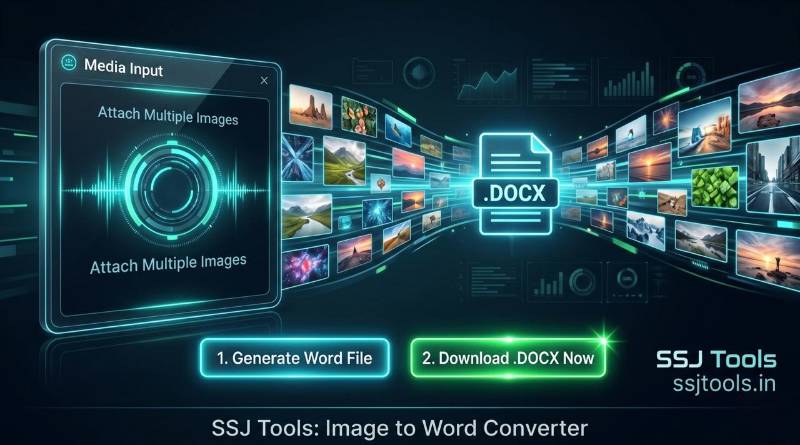
Key Features of the Image to Word Converter
100% Client-Side Export: We prioritize your data security. This tool processes your images entirely within your own web browser. Your sensitive files are never uploaded to any server, ensuring complete confidentiality and piece of mind.
Batch Image Processing: Save time by uploading multiple images simultaneously. Our tool can handle dozens of files in a single session, making it easy to convert jpg into word free at scale, perfect for digitizing multi-page reports or books.
Intelligent Multi-Page Document Generation: Unlike other converters that simply pile all your images onto a single page, our tool automatically inserts a page break between each image. Each file you upload will start on a fresh page in your generated Word document, maintaining logical separation and structure.
Optimized Image Scaling: To ensure a clean and professional layout, each image is automatically scaled to fit perfectly within the standard A4 page margins of Microsoft Word, making the output ready to print or view immediately without manual resizing.
Microsoft Word Compatibility (.DOCX): The generated file is in the industry-standard
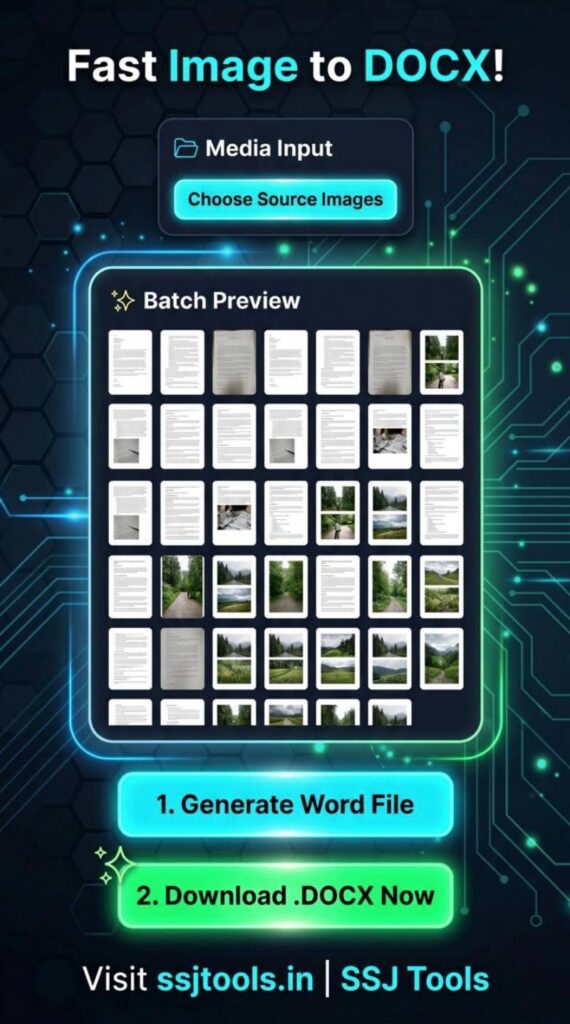
.docxformat, fully compatible with all modern versions of Microsoft Word, ensuring you can open, edit, and save your document without any formatting issues.Live Batch Preview: Before you convert, our tool generates a live visual queue of all your loaded images. You can see exactly which files are selected and the order they will appear in the final document, giving you complete control.
Real-Time Process Log: Stay informed at every step. A visible terminal log provides real-time updates on your conversion, from “Waiting for files” to “Queuing images” and finally “Document ready.”
How to Use the Image to Word Converter
Converting your images is incredibly simple and can be done in just two main steps:
Step 1: Choose Source Images Click the “Choose Source Images” button within the “Media Input” card. You can select one or multiple images (
.jpg,.jpeg,.png, etc.) from your device. You will instantly see a visual Batch Preview of all selected images on the right side of the screen.Step 2: Generate and Download Your Word File Once your images are loaded, click the “1. Generate Word File” button. The tool will instantly compile your images into a structured
.docxdocument in your browser. As soon as it’s finished, a “2. Download .DOCX Now” button will appear in the “Media Input” section. Click it to save your new, professionally formatted document to your device. That’s it!
Why Choose SSJ Tools for Image to Word Conversion?
When you need to convert from jpg to word document, you have many options, but none offer the same blend of speed, security, and simplicity as SSJ Tools.
Absolutely Free: Forget about hidden fees or paid subscriptions. Our tool is completely free to use, and you can convert as many images as you need without limitation.
Unmatched Privacy and Security: The biggest advantage of our tool is its client-side nature. We don’t believe in requiring you to upload your personal or confidential documents to a server. All processing happens right in your own browser, offering a level of security that server-based tools simply cannot match.
Incredibly Fast and Convenient: There’s no software to download, install, or manage. Our tool is web-based, giving you instant access whenever you need it from any device with an internet connection.
No User Account Required: We don’t ask for your email address or personal information. Just visit the page and start converting.
Common Use Cases for This Tool
The versatility of our Image to Word converter makes it invaluable for countless scenarios:
Digitizing Scanned Documents: Easily convert physical, scanned documents—like contracts, reports, or recipes—into editable Word files for updating, reformatting, or easy sharing.
Extracting Text from Screenshots: Have you captured important information on your screen? Turn those screenshots of presentations, web pages, or code snippets into structured text.
Converting Photos of Written Notes: Quickly transcribe handwritten notes from whiteboards, notebooks, or post-its into a legible, search-friendly document.
Digitizing Books and Articles: Convert photos of pages from physical books, magazines, or newspaper articles into a single digital file for easier reading and referencing.
Preparing Image Content for SEO: Extract text from image banners, infographics, or charts to repurpose into blog posts, articles, or website content.
SEO Benefits of Using a Client-Side Tool
As part of SSJ Tools, this converter isn’t just about utility; it also provides significant SEO benefits. By allowing you to rapidly extract text content from your visual assets—like screenshots or old document photos—it provides fresh, search-engine-friendly material that you can use to create new blog posts, service pages, or articles, expanding your website’s footprint and driving more organic traffic. Using our tool is a fantastic first step in any robust image-to-text content creation workflow.
Tips for Getting the Best Conversion Results
For the cleanest and most accurate Word document output:
Use High-Quality Images: The higher the resolution and clarity of your input images, the better the quality of the image embedded in your Word document will be.
Ensure Good Lighting: When taking photos of text, make sure the lighting is even and avoids harsh shadows or glare, which can distort the visual.
Keep Images Upright: Try to ensure the text in your photos is aligned straight and not significantly tilted, making the resulting document easier to read.
Frequently Asked Questions (FAQs)
Q: Is there a limit to how many images I can convert at once?
There is no hard limit, though very large batches may slightly slow down your browser. We recommend batches of up to 50 images for the optimal experience, and you can run as many batches as you like.
Q: Will the tool retain the original text and layout from the image?
No, this tool is designed to compile images into a Word document where each image is placed on a new page. It does not perform Optical Character Recognition (OCR) to convert text from the image into editable text. The content will be static within the document.
Q: What file formats are supported for the input images?
The tool supports all common image formats accepted by modern web browsers, including JPG, JPEG, PNG, WEBP, and GIF.
Q: Are my files safe using this online tool?
Absolutely. This tool is a 100% client-side application. No images are ever sent to our servers, and your data remains private within your own browser.
Q: How do I open and edit the final Word document?
The final output is a standard .docx file. You can open and edit it using Microsoft Word, Google Docs, OpenOffice, or any other word-processing software that supports .docx.
Conclusion: Transform Your Workflow Today with SSJ Tools
Stop letting static images slow you down. The Image to Word Converter by SSJ Tools offers a free, secure, and incredibly efficient way to streamline your document creation and digitization workflow. Experience the power of client-side conversion and take control of your content. Visit ssjtools.in today and convert your first batch of images into a professional Word document in seconds. Boost your productivity and make manual re-typing a thing of the past!