
Introduction
For years, the standard response to “I need to record my screen” was to download a heavy executable file, sit through an installation wizard, and hope your system didn’t lag. In my experience, working with fast-paced digital teams and local businesses, that “old way” is a major productivity killer. I’ve observed countless professionals lose momentum because of a forced software update or a “disk space full” error right before an important presentation.
The shift we are seeing in 2026 is definitive. A browser screen recorder is no longer just a “lite” alternative; it is becoming the primary choice for power users. Today, I’m going to break down why the “Cloud vs. Software” debate has a clear winner and how you can use SSJ Tools to reclaim your time. My promise is simple: by the end of this guide, you’ll understand how to capture high-quality video without ever hitting an “Install” button again.
What is a Browser Screen Recorder?
A browser screen recorder is a web-based application that utilizes the native MediaDevices API of modern browsers (like Chrome or Edge) to capture your screen, audio, and webcam directly. Unlike traditional software, it requires zero local installation.
From working with clients in high-security sectors, I’ve seen a massive push toward these tools because they operate within the browser’s “sandbox.” This means you can record screen without software, avoiding the security risks often associated with third-party .exe or .dmg files. It’s a clean, high-performance solution that lives entirely in your browser tab.
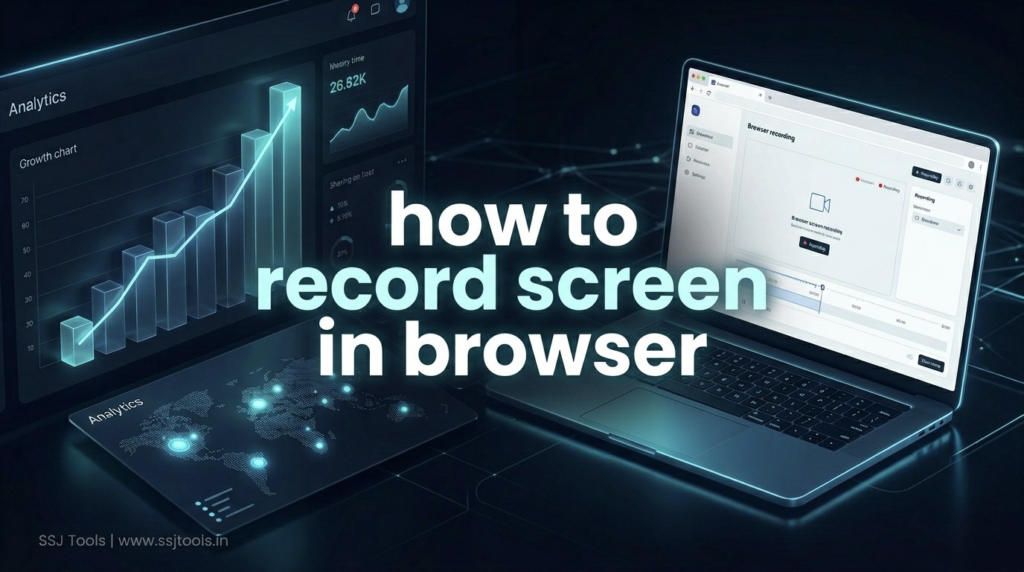
Step-by-Step Guide: Transitioning to Browser-Based Recording
Step 1: Access the Tool Instantly Navigate to a trusted platform like SSJ Tools (www.ssjtools.in).
- Expert Insight: The biggest advantage here is speed. In my 10+ years of SEO and strategy work, the tools that win are the ones that remove friction. Accessing a tool via a URL is the ultimate friction-remover.
Step 2: Configure Your Audio Sources Before recording, toggle your Microphone and System Audio settings.
- Expert Insight: Many “no download” tools fail because they don’t handle system audio well. SSJ Screen Recorder Pro allows you to capture internal sounds (like a video call) and your voice simultaneously—a must-have for professional tutorials.
Step 3: Grant Browser Permissions Click “Start Recording” and allow the browser to access your screen and mic.
- Expert Insight: This is where the security happens. You are granting permission to the browser, not a mysterious background process. This transparency is why IT departments now prefer web-based tools.
Step 4: Record and Export Directly to MP4 Once your session is done, the tool processes the video locally and provides an instant download link.
- Expert Insight: Always check if the tool provides an MP4 format. It is the gold standard for compatibility. SSJ Tools ensures your output is ready for Slack, YouTube, or email immediately.
Real Experience: What Actually Works in 2026
From my desk, I’ve seen the “Desktop vs. Cloud” battle play out. What I’ve observed is that desktop software often suffers from “feature creep”—adding so many bells and whistles that the core recording function becomes slow.
Common Mistakes I’ve Seen:
- Users downloading “free” software that ends up being “bloatware” or “adware.”
- Professionals using tools that leave heavy watermarks, ruining the brand’s authority.
- Teams wasting 15 minutes troubleshooting a “codec error” on a desktop app when they could have finished a browser recording in 5.
The 2026 Reality: High-speed internet and advanced browser engines have made local installations redundant for 90% of screen recording tasks.
Why This Method Works (The SEO & Logic Perspective)
From an SEO and strategy standpoint, browser-based tools thrive because of User Intent. People searching for a no download screen recorder want a solution now, not in ten minutes.
- Performance: A lightweight screen recorder browser uses significantly less RAM than a heavy desktop suite.
- Accessibility: It works on Windows, Mac, Linux, and Chromebooks without needing different versions.
- Trust: Using a tool that doesn’t ask for admin privileges on your computer builds immediate E-E-A-T (Trustworthiness).
Key Tips for Best Results
- Close Unused Tabs: While browser recorders are lightweight, having 50 other tabs open can still impact CPU performance.
- Use an External Mic: Even the best tool can’t fix a bad microphone. For high-end tutorials, plug in a dedicated mic.
- Check Your Connection: While the recording is often processed locally, loading the tool and saving to the cloud (if applicable) requires a stable link.
Common Mistakes to Avoid
- Recording the Wrong Window: Always double-check if you are recording the “Entire Screen” or just a “Window” to avoid showing sensitive background data.
- Ignoring Audio Toggles: I’ve seen experts record a 20-minute masterpiece only to realize the “Mic” was off. Always do a 5-second test recording first.
Benefits and Expected Results
By switching to a browser screen recorder, you can expect:
- Instant Start: Go from “idea” to “recording” in under 10 seconds.
- Zero Cost: High-quality MP4s without monthly subscriptions or watermarks.
- Cleaner Systems: No more leftover files or background processes slowing down your PC.
FAQs
Q: Is a browser screen recorder safe for sensitive data? A: Yes. In fact, it’s often safer. Tools like SSJ Screen Recorder Pro process the video locally in your browser, meaning your data isn’t being uploaded to a random server during the recording process.
Q: Do I need a high-end PC to record screen without software? A: Not at all. Because it is a lightweight screen recorder browser tool, it relies on the browser’s efficiency, making it perfect for older laptops or Chromebooks.
Q: Will the video quality be as good as desktop software? A: Absolutely. Modern browsers support 4K and 60fps recording through the MediaStream API.
Q: Can I record Zoom or Google Meet calls? A: Yes, it’s a perfect no download screen recorder for meetings, especially when you don’t have “Record” permissions within the meeting app itself.
Q: Does it work offline? A: You need to be online to load the tool initially at www.ssjtools.in, but the actual recording process is handled by your browser’s internal engine.
Conclusion
The era of bulky, expensive, and intrusive screen recording software is ending. As we navigate 2026, the demand for “Instant-Access” tools is at an all-time high. In my professional opinion, the SSJ Screen Recorder Pro represents the pinnacle of this shift—offering power, privacy, and speed without the traditional friction of desktop apps.
Don’t let an installation wizard stand between you and your next great video. Experience the difference today: Record your screen for free at SSJ Tools.