
📊 Grid Architect
Extract tabular data from PDF documents into professional Excel spreadsheets.
Awaiting document upload…
Excel output will be generated here
Structure Identified
Data mapping to .XLSX format complete.
Extract Tables Instantly: The Free PDF to Excel Converter for Clean Data
Turn Stubborn PDF Reports into Editable Spreadsheets
The Hidden Cost of Manual Data Entry
We have all been there: you receive an important report, a financial summary, or an invoice, but it is locked inside a static PDF file. When you try to copy and paste the rows directly into a spreadsheet, the formatting shatters. Columns misalign, numbers merge into random text strings, and what should have been a two-minute task turns into hours of tedious manual retyping.
In my experience working with data management pipelines, manual data entry is not just a time sink—it is an absolute magnet for human error. One misplaced decimal point during a manual transfer can throw off an entire fiscal quarter’s projections. For most users, finding a reliable way to convert pdf to excel without destroying the original table structure is a constant operational headache.
Introducing Grid Architect: Your Frictionless Data Bridge
To solve this universal bottleneck, SSJ Tools – Free Digital Tools Platform built Grid Architect. This dedicated online pdf to excel converter serves as an intelligent bridge between static documents and dynamic spreadsheets.
As an accurate pdf to excel converter, it structuralizes chaotic layouts instantly. It functions entirely as a free pdf to excel converter online, allowing you to bypass expensive software installations or recurring enterprise subscriptions. Whether you need a quick pdf to xlsx converter or a comprehensive pdf to spreadsheet converter, Grid Architect delivers clean, editable excel from pdf source files right inside your web browser.
Tailored Scenarios: Where Grid Architect Saves the Day
1. Clean Bank Statement Conversions for Seamless Auditing
Managing corporate or personal finances requires pinpoint precision. Using a dedicated bank statement pdf to excel converter is often the only way to audit transaction histories efficiently.
Reconcile financial records without losing ledger formatting
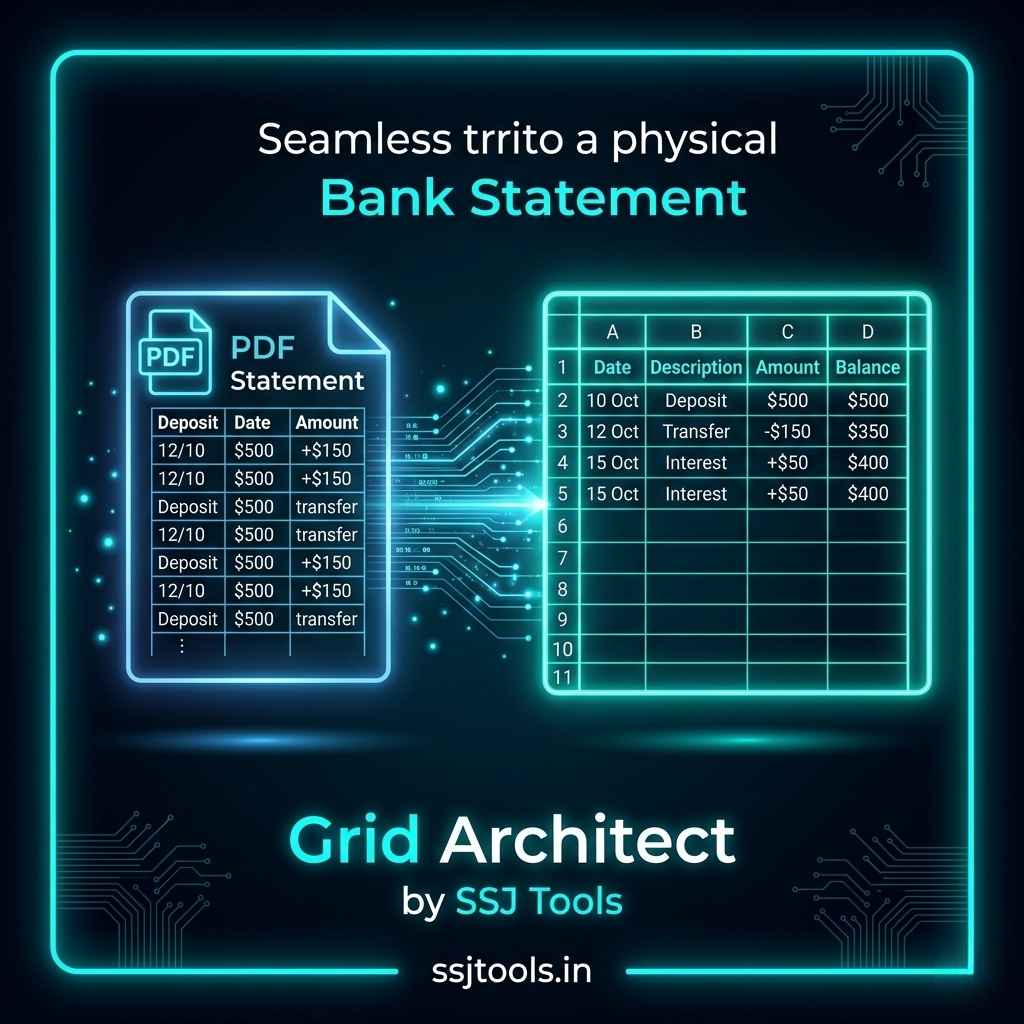
When you use Grid Architect as your primary bank statement to excel converter, it acts as a highly specialized financial pdf to excel processing hub. A common workflow is uploading monthly statements to run a pdf bank statement converter sequence. It transforms multi-page text blocks into a clean bank statement excel tool layout, allowing you to export a functional bank statement pdf to xls file. This means you can immediately sort, filter, and run formulas across dates, descriptions, and balances without ruining the ledger formatting.
2. Invoice & Purchase Order Data Scraping
Accounts payable departments handle dozens of incoming vendor invoices daily, almost always locked in a PDF format.
Turn stacked corporate PDFs into unified line-item rows
Grid Architect functions as a smart pdf to excel converter that handles transactional business documents with ease. Instead of processing each file individually through slow methods, this pdf table to excel converter isolates the line items, tax fields, and total balances. It rapidly converts your corporate pdf data to excel grids, making it easy to map raw information into centralized accounting systems.
3. Academic & Research Table Aggregation
Researchers and students frequently pull historical data tables, scientific matrices, and census figures out of archived PDFs.
Port complex matrix data cleanly into working data sets
Using a pdf to excel ai converter framework, Grid Architect reads the spatial boundaries of multi-column tables. It acts as a fast pdf to excel converter tool that ports dense matrix data into a clean pdf to excel sheet converter layout. You can then instantly run statistical analyses, build charts, or feed the values into data modeling software.
Inside Grid Architect: Built for Speed and Security
Intelligent Structure Recognition
Unlike a standard, generic pdf converter, Grid Architect features advanced visual structure recognition. It scans your document to identify exactly where a table begins and ends, drawing imaginary boundaries around headers, rows, and cells. This guarantees that your pdf to microsoft excel converter free download alternative handles structural changes across pages smoothly.
Localized Browser-Based Processing
Most online conversion tools force you to upload your files to remote cloud servers, creating massive compliance issues for sensitive corporate data. Grid Architect is built with strict privacy boundaries: your conversion runs entirely within your local web browser session. It functions like a convert pdf to excel offline tool, meaning your data never leaves your computer. It is a completely secure pdf to excel online free utility.
One-Click Canvas Reset
Efficiency is key when handling large batches of documents. Grid Architect includes a “Clear Canvas” system. With a single click, you can purge the active workspace, refresh the engine, and prepare the interface for your next document instantly.
How to Convert PDF to Excel Without Losing Formatting
Converting your documents through our web interface requires no technical expertise. Here is how the user workflow looks in practice:
Step 1: Feed Your Document to the Core Engine Click on the “Select PDF File” button inside the user-friendly command box. Choose the native document you wish to process from your local device. The interface will instantly display your file name and verify that the engine is ready.
Step 2: Track the Live Extraction Stream Click the neon “Generate Spreadsheet” button. A real-time extraction log stream and progress bar will appear. This gives you a clear visual confirmation as the system analyzes table structures and matches cell alignments.
Step 3: Claim Your Formatted Spreadsheet Once the progress bar hits 100%, the interface reveals a green success card confirming that the structural mapping is complete. Click the “Download Excel File” button to save your fully editable
.xlsxspreadsheet immediately.

Maximizing Output Quality: Best Practices for Complex Tables
To get the absolute best results from this pdf excel engine, I recommend implementing these simple document preparation techniques:
Prioritize Clean Digital Layouts Over Flattened Scans While our engine functions exceptionally well as a scanned pdf to excel converter, native PDFs (documents generated directly from software like Word, Google Docs, or accounting systems) will always yield the most accurate cell placement.
Keep Column Headers Uniform Across Pages If you are converting long documents like annual reports, ensure your source tables have consistent header layouts. This helps the engine seamlessly map continuous data rows into a single, cohesive spreadsheet.
Verify Multi-Page Alignment Pre-Conversion Before processing, check that your document columns do not bleed off the margins of the page. Keeping rows well within standard document boundaries ensures the cell alignment parser maps every data point correctly.
Zero Account Registrations or Email Requirements
Most platforms market themselves as a free pdf to excel converter, only to trap you behind an email subscription wall at the final step. Grid Architect is an explicit convert pdf to excel online free without mail system. You get zero spam, zero sales funnels, and instant access.
Total Privacy Controls for Sensitive Financial Data
When handling sensitive spreadsheets, compliance is everything. Because our platform processes your files locally, it serves as a highly confidential bank pdf data extractor and statement converter online. Your financial ledgers remain completely shielded from third-party eyes.
No Arbitrary Daily File Conversion Limits
Whether you need to convert a single page or dozens of documents throughout the workday, our engine does not throttle your usage. There are no hidden subscription models or sudden caps on your daily productivity.
Frequently Asked Questions
How does this tool handle complex financial bank statements?
Grid Architect is optimized to function as a precise convert pdf bank statement to excel utility. It recognizes standard banking grids and ledger spacing, safely grouping transaction dates, balance sheets, and itemized descriptions into distinct Excel columns without cross-row contamination.
Will my private corporate data be uploaded to external servers?
No. Your data security is our absolute priority. Unlike a standard pdf to excel converter ai cloud service, Grid Architect runs its processing scripts completely inside your local web browser. Your private corporate files are never uploaded, saved, or shared online.
What makes this better than copying and pasting tables directly into Excel?
Copying directly from a PDF ruins table alignment, breaks multi-line cells, and drops column formatting. Grid Architect uses strict cell-alignment parsing to preserve the exact spatial boundaries of your data, giving you a functional spreadsheet right away.
Is there a maximum page limit for the document converter?
Since the system relies entirely on your browser’s local processing resources, there are no artificial tool limits. It can easily handle multi-page operational reports, large datasets, and expansive yearly accounting sheets.
Can I convert files completely free on mobile browsers?
Yes! If you are looking for an app to convert pdf to excel on the go, simply open ssjtools.in in any modern mobile browser. The responsive workspace allows you to easily convert pdf to excel in mobile environments without downloading extra software.
Stop Copying Data—Reclaim Your Workspace Right Now
Ready to format your document? Launch your conversion above.
Do not waste another minute manually rebuilding spreadsheets from scratch. Experience the speed, privacy, and precision of a premium pdf to excel tool without spending a cent. Upload your file to Grid Architect now, extract your records with zero fuss, and take full control of your data today!